
Gionee M6S Plus Specs And Pricing

Gionee M6S Plus has been unveiled and here are the specs and pricing of device.
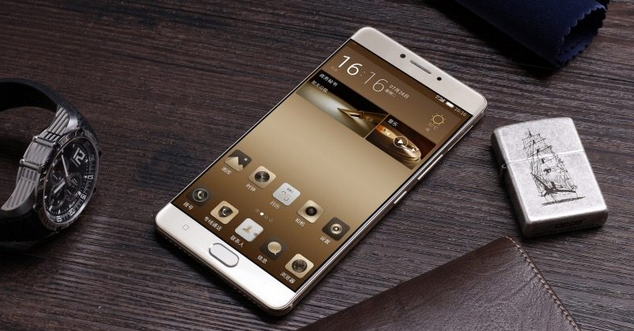
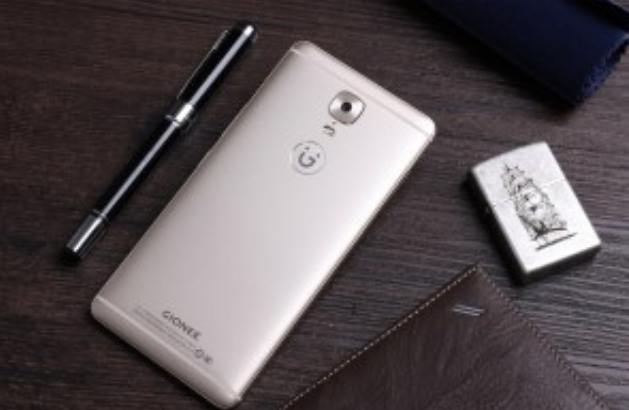
Gionee M6S Plus Specs And Pricing


Display

6.00-inch

Processor

1.95GHz octa-core

Front Camera

8-megapixel

Resolution

1080x1920 pixels

RAM

6GB

OS

Android 6.0

Storage

64GB

Rear Camera

12-megapixel

Battery Capacity


Gionee M6S Plus Specs


Gionee M6S Plus detailed specifications

GENERAL

Release dateApril 2017
Form factorTouchscreen
Dimensions (mm)163.30 x 80.90 x 8.25
Weight (g)215.00
Battery capacity (mAh)6020
Removable batteryNo
SAR valueNA

HARDWARE

Processor1.95GHz octa-core
Processor makeQualcomm Snapdragon 653
RAM6GB
Internal storage64GB
Expandable storageYes
Expandable storage typemicroSD
Expandable storage up to (GB)256


CAMERA

Rear camera12-megapixel
FlashYes
Front camera8-megapixel
SOFTWARE
Operating SystemAndroid 6.0
SkinAmigo3.5

SENSORS

Compass/ MagnetometerYes
Proximity sensorYes
AccelerometerYes
Ambient light sensorYes
GyroscopeYes
BarometerNo
Temperature sensorNo


CONNECTIVITY

Wi-FiYes
Wi-Fi standards supportedNA
GPSYes
BluetoothYes, v 4.00
NFCNo
InfraredNo
USB OTGYes
Headphones3.5mm
FMNo
Number of SIMs2
SIM 1
SIM TypeNano-SIM
GSM/CDMAGSM
3GYes
4G/ LTEYes
Supports 4G in India (Band 40)No
SIM 2
SIM TypeNano-SIM
GSM/CDMAGSM
3GYes
4G/ LTEYes
Supports 4G in India (Band 40)No

DISPLAY

Screen size (inches)6.00
TouchscreenYes
Resolution1080x1920 pixels

Pricing


Gionee M6S Plus will go on sale in China; 2 May through JD.com. The 64GB unit will cost €575/$508 (well over a 150k) and the 256GB model will go for €468/$624 (well over 170k regardless of the exchange rate).

See also from NDTV


Trending

Comments

Post a Comment

Popular posts from this blog

WAEC 2017/2018 Result Is Out : www.waecdirect.org Result Checker

How to check WAEC 2017 Result online ?   * Candidates should logon to WAEC result 2017/2018 website through www.waecdirect.org * Enter WAEC Examination Number. * Enter the Examination Year. * Select the Type of Examination. * Enter the Card Serial Number found on the reverse side of your Scratch card. * Enter the Personal Identification Number (PIN) on your Scratch card. * Click on the  submit button to get their result. * Candidates must take the hard copy of their result for further use.

How to Upgrade your JAMB Result to 250 and Above??

Jambites who want to upgrade their UTME results to 250 and above should endeavour to read through this article to get help before it’s too late. JAMB UTME 2014 has been been written. Results has been released and statistics shows that a good percentage of candidates scored 200 and below. Now candidates are looking for next move to take. Most of them didnt reach the cut-off mark for their desired University and or Polytecnic. The next thing on candidates in this situation is "How to Upgrade My JAMB UTME Result" Report reaching us has it that Desperate candidates who could not reach their desired mark are making moves to pay any amount to have their Results Upgraded. This post was made to enlighten candidates who Wish to upgrade their UTME score that there is nothing like Result Upgrade and anything you see about it online is Fake and was posted by scammers who wish to Collect your money and leave you Helpless. JAMB registrar Made this notice after Last year, 2013 ...

HOW TO GET 5GB or MORE FOR FREE ON MTN NETWORK

How To Get Free 5GB On Your MTN Sim!!! This Works Like Magic... You Wont Believe This... Just Follow The Steps Below. Note: It Doesnt Work On All SIMS... You Might Get an Error that You Have Insufficient Balance... NOTE:-YOU CAN NOT SEND THAT 5GB TO YOUR SELF FIND ANODA AND USE IT TO SEND TO YOUR SELF... Step 1: You Need To Register For MTN DATA Sharing by Dialing *131*2*1# Then You Will Need To Change Your Data Sharing Pin from Default (0000) to your prefered pin By Dialing *131*2*5# Step 2: After Changing Pin, You can Add Beneficiary. This is the number that you will send the 5GB to.. Dial *131*2*2# to Add the Beneficiary and then Put ur Pin after adding. Step 3. You will need to send the 5GB to the Beneficiary. Just Dial *131*3# Press Answer and Dial '5'. Answer again and Dial '4'. Answer again and dial '3'. Answer again and put Beneficiary's Number. Answer again and Put your Pin. Step 4. If your Sim Can Do It, Then The Beneficiary wil...