
9 Features of Samsung Galaxy S8 that beats iPhone

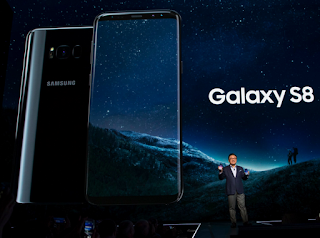
Samsung's latest Galaxy S8 is packed with lots of thoughtful features that you won't find on any iPhone. Although iPhone still has a slight edge over the Samsung Galaxy S8, there are plenty features that makes it unique and lovely.


10 Features of Samsung Galaxy S8 that beats iPhone


Below are the most important Galaxy S8 features you won't get from the iPhone.

1. Samsung Galaxy S8 has an iris scanner that can be used to unlock the phone and access secure folders.

Samsung says it's more secure than a fingerprint sensor. The iPhone only has a fingerprint sensor.

2. You can charge the Galaxy S8 with a wireless charging pad. There's also fast charging, which charges the S8 faster than normal.

The iPhone does not have wireless charging. There's also no fast-charging option.


3. More screen. The S8 has a 5.8-inch screen. The S8+ has a 6.2-inch screen.

Compare that to the iPhone: The iPhone 7 has a 4.7-inch screen and the iPhone 7 Plus has a 5.5-inch screen.

4. You can plug in standard headphones thanks to the headphone jack.

Apple famously removed the standard headphone jack on the iPhone 7. You have to use a dongle if you want to plug in your regular wired headphones.

5. The Galaxy S8 comes with its own virtual reality software, powered by Facebook's Oculus.

The iPhone can work with some VR headsets like Google Cardboard, but it doesn't natively support VR and content is extremely limited.


6. Samsung Pay can make payments on standard magnetic credit card readers.

This is an older Samsung phone using Samsung Pay, but it works the same on the Galaxy S8.
You don't need a special NFC pad like you do with Apple Pay.

7. The S8 has a heart rate sensor on the back.

Get your pulse on the go! You'll have to buy an Apple Watch or another accessory if you want to measure your pulse using the iPhone.
 

8. Samsung's Galaxy S8 screen is more power-efficient and produces better colors.

That's because Samsung uses a screen technology called OLED. The iPhone still uses LCD, which doesn't look as good as OLED.


9. You can attach the Galaxy S8 to a monitor, keyboard, and mouse with a special dock and run a desktop version of the smartphone's operating system on a normal computer.

While features like this haven't been proven, it could appeal to enterprises. You can only mirror your iPhone screen on an external display.


There you have it! Have fun!!!


Related
Comments

Popular posts from this blog

WAEC 2017/2018 Result Is Out : www.waecdirect.org Result Checker

How to check WAEC 2017 Result online ?   * Candidates should logon to WAEC result 2017/2018 website through www.waecdirect.org * Enter WAEC Examination Number. * Enter the Examination Year. * Select the Type of Examination. * Enter the Card Serial Number found on the reverse side of your Scratch card. * Enter the Personal Identification Number (PIN) on your Scratch card. * Click on the  submit button to get their result. * Candidates must take the hard copy of their result for further use.

How to Upgrade your JAMB Result to 250 and Above??

Jambites who want to upgrade their UTME results to 250 and above should endeavour to read through this article to get help before it’s too late. JAMB UTME 2014 has been been written. Results has been released and statistics shows that a good percentage of candidates scored 200 and below. Now candidates are looking for next move to take. Most of them didnt reach the cut-off mark for their desired University and or Polytecnic. The next thing on candidates in this situation is "How to Upgrade My JAMB UTME Result" Report reaching us has it that Desperate candidates who could not reach their desired mark are making moves to pay any amount to have their Results Upgraded. This post was made to enlighten candidates who Wish to upgrade their UTME score that there is nothing like Result Upgrade and anything you see about it online is Fake and was posted by scammers who wish to Collect your money and leave you Helpless. JAMB registrar Made this notice after Last year, 2013 ...

HOW TO GET 5GB or MORE FOR FREE ON MTN NETWORK

How To Get Free 5GB On Your MTN Sim!!! This Works Like Magic... You Wont Believe This... Just Follow The Steps Below. Note: It Doesnt Work On All SIMS... You Might Get an Error that You Have Insufficient Balance... NOTE:-YOU CAN NOT SEND THAT 5GB TO YOUR SELF FIND ANODA AND USE IT TO SEND TO YOUR SELF... Step 1: You Need To Register For MTN DATA Sharing by Dialing *131*2*1# Then You Will Need To Change Your Data Sharing Pin from Default (0000) to your prefered pin By Dialing *131*2*5# Step 2: After Changing Pin, You can Add Beneficiary. This is the number that you will send the 5GB to.. Dial *131*2*2# to Add the Beneficiary and then Put ur Pin after adding. Step 3. You will need to send the 5GB to the Beneficiary. Just Dial *131*3# Press Answer and Dial '5'. Answer again and Dial '4'. Answer again and dial '3'. Answer again and put Beneficiary's Number. Answer again and Put your Pin. Step 4. If your Sim Can Do It, Then The Beneficiary wil...